
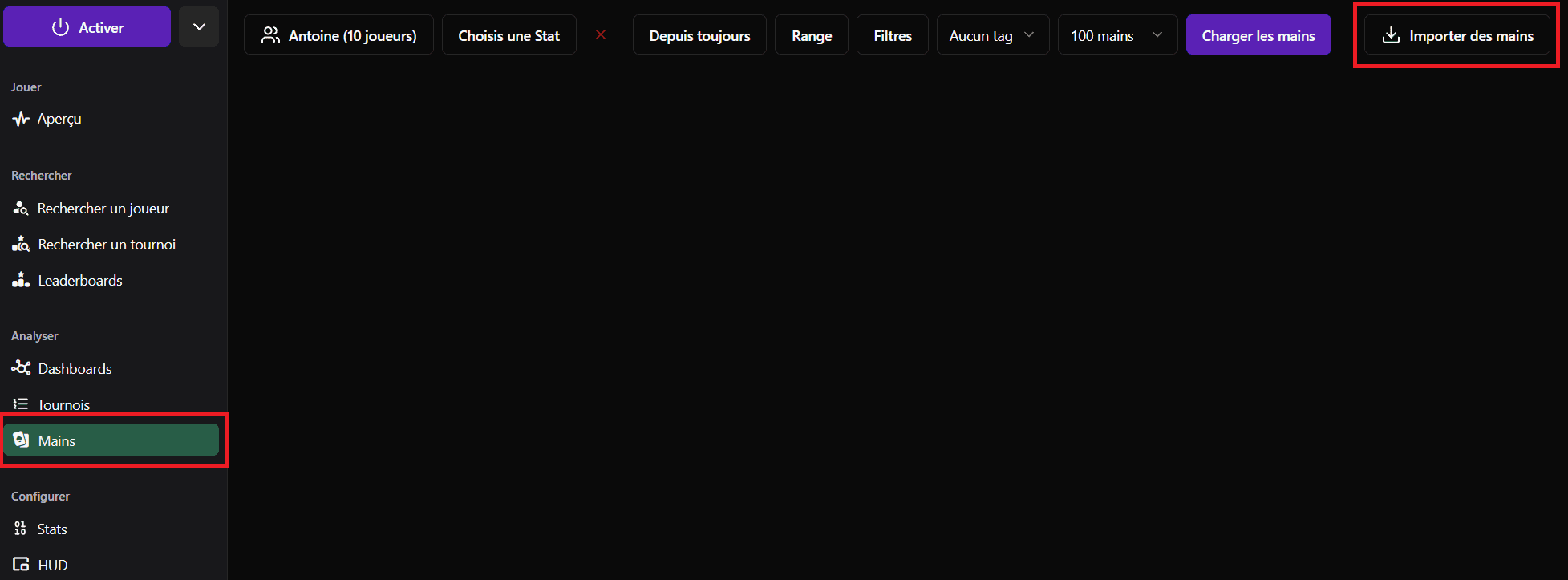
The Pokstats Tracker allows you to import your hands to review them, share them and analyze your game in depth.
When the HUD is activated and hand history paths are correctly configured, hand import is done automatically in the background while you play. So you don't have to do anything.
However, if you have older hands that you want to import into the Tracker, there's a good chance these hands have been archived by Pokstats or another tracker. In this case, you need to import them manually.
Locate your archived hands
Pokstats automatically archives your hands after each session for performance reasons. Hands are archived at this location: C:\Users\YourUserName\AppData\Roaming\Pokstats\HandHistory
In the "Hands" tab, click on the "Import hands" button -> "From a folder" at the top right. Then select the Pokstats archive folder and validate.
If you previously used another tracker, you can also import hands archived by that tracker. To do this, locate your old tracker's archive folder (consult your old tracker's documentation if needed) and select this folder for import into Pokstats.
Supported Sites and formats
Pokstats supports hand import from the following Sites:
 Winamax
 PokerStars
 iPoker
 GG Poker
 888Poker
 WPN (ACR)
 Betclic
Currently, only the MTT NLHE format (Multi Table Tournament - No Limit Holdem) is supported for hand import. Sit&Go, Cash Game and Spin&Go formats are not yet supported. PLO and other variants are not yet supported either.
Continue reading
Discover how to filter your hands for review